

Description
Download Soft4Boost Screen Recorder – Free, Secure Screen Recording Tool for Windows, Mac, Android & iOS
Introducing Soft4Boost Screen Recorder: A Powerful, User-Friendly Tool for Every User
Soft4Boost Screen Recorder is a lightweight, intuitive software designed to help users capture on-screen actions with minimal effort. Whether you're creating instructional videos, recording gameplay, live-streaming events, or troubleshooting technical issues, this tool delivers professional-grade results without the complexity. With a compact size of just 44.2 MB, it installs quickly and runs smoothly on both older and modern systems. The software supports full-screen recording as well as custom region selection, giving you complete control over what you capture. One of its standout features is the ability to record both video and audio simultaneously—no need to juggle multiple apps or complicated setups. This makes it ideal for educators, content creators, remote support teams, and casual users alike. The interface is clean and straightforward, with all essential controls accessible from a centralized panel. Even first-time users can start recording within seconds. Unlike many screen recording tools that require advanced knowledge, Soft4Boost prioritizes simplicity without sacrificing functionality. It supports popular video formats like MP4, AVI, and WMV, ensuring compatibility across devices and platforms. With customizable frame rates and video quality settings, you can balance performance and file size based on your needs. Whether you're recording a webinar, a software demo, or a gaming session, Soft4Boost Screen Recorder adapts to your workflow seamlessly. The software is also regularly updated to ensure stability, security, and compatibility with the latest operating systems. For anyone seeking a reliable, free screen recording solution, Soft4Boost Screen Recorder stands out as a top contender in its category.
Key Features That Make Soft4Boost Screen Recorder a Must-Have Tool
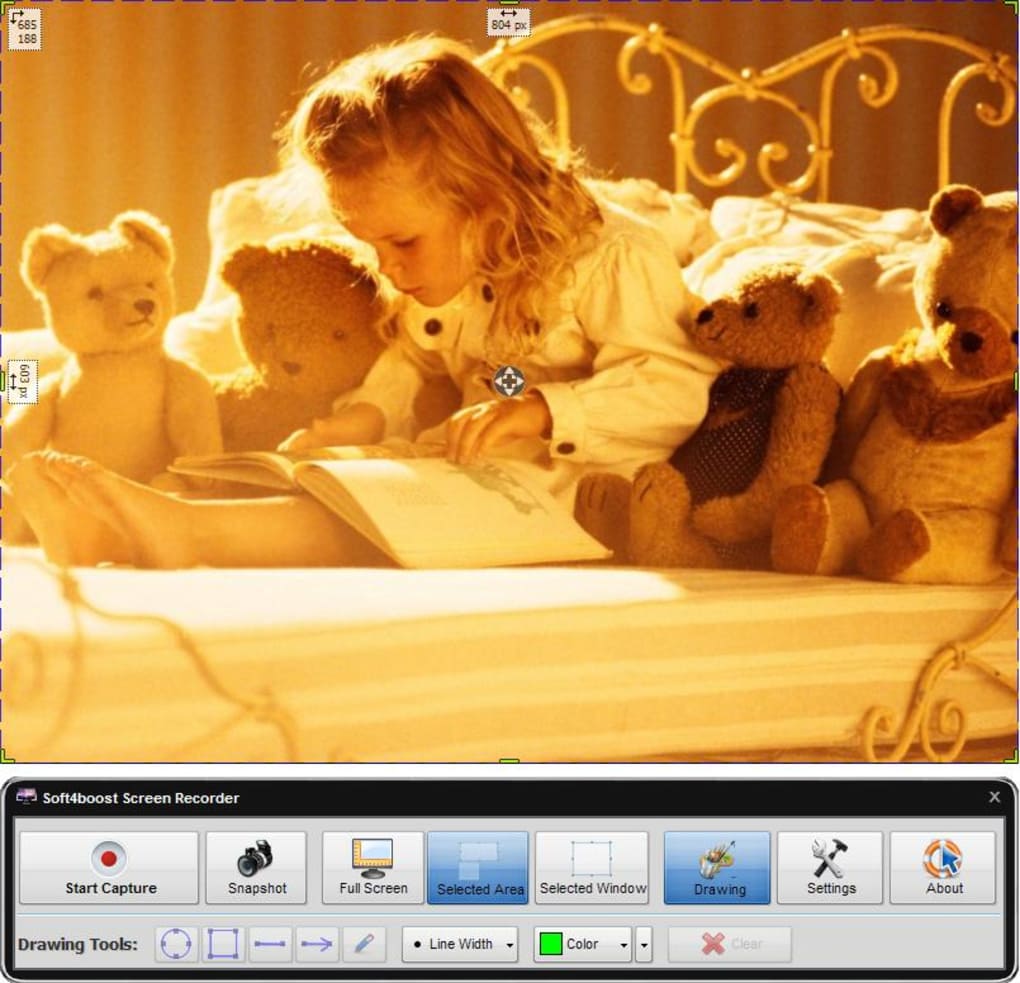
Soft4Boost Screen Recorder comes packed with a suite of features designed to enhance your recording experience. One of the most valuable tools is the region selection mode, allowing you to record only a specific portion of your screen—perfect for focusing on a particular window or application without capturing unnecessary distractions. This is especially useful when creating tutorials or highlighting software features. The full-screen recording option ensures you capture everything on your display, ideal for live streaming or recording entire presentations. Another standout feature is simultaneous audio and video recording. You can capture system audio, microphone input, or both, which is essential for creating engaging content like video reviews, voice-over tutorials, or podcast recordings. The software also supports adjustable frame rates and video quality settings, letting you optimize for performance or visual clarity depending on your device and use case. For example, lower frame rates reduce file size and system load, while higher settings ensure smooth playback for fast-paced content like gaming. Additionally, Soft4Boost supports multiple output formats including MP4, AVI, and WMV, making it easy to share or edit recordings in popular video editing software. The built-in preview window lets you monitor your recording in real time, ensuring everything is captured correctly before you start. You can also set up hotkeys for instant access to recording functions, eliminating the need to navigate menus mid-task. The software includes a built-in video editor that allows basic trimming and formatting, saving time on post-production. All these features are accessible through a simple, clutter-free interface, making it a perfect choice for both beginners and professionals. With regular updates and a strong focus on user experience, Soft4Boost continues to evolve as one of the most reliable screen recording tools available today.
Easy Installation, Seamless Usage, and Cross-Platform Compatibility
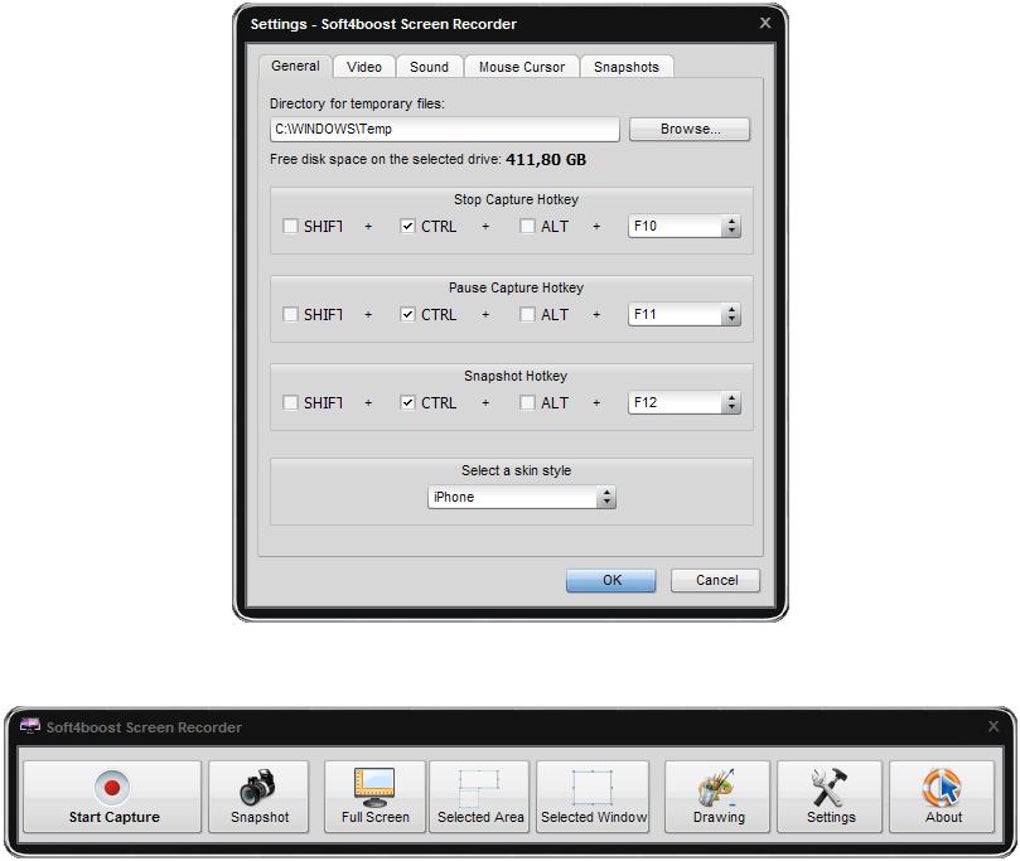
Getting started with Soft4Boost Screen Recorder is quick and hassle-free. The installation process is straightforward—simply download the installer from the official website, run it, and follow the on-screen prompts. The entire setup takes less than a minute, and the software doesn’t require administrator rights for basic operation, making it ideal for shared or restricted environments. Once installed, the application launches with a minimal interface, displaying all key controls in an organized layout. To begin recording, you can either select a region, choose full-screen mode, or pick a specific window. A single click on the “Record” button starts the process instantly. The software runs quietly in the background, consuming minimal system resources, so you won’t experience lag during recording. For users who prefer keyboard shortcuts, Soft4Boost allows you to assign custom hotkeys to start, pause, and stop recording—perfect for hands-free operation during live streams or presentations. The recording session can be paused and resumed without losing quality or continuity, offering flexibility during longer sessions. When you’re done, the software automatically saves the file to your chosen location, with customizable naming and folder options. You can also access the recording history and manage your files directly from the app. In terms of compatibility, Soft4Boost Screen Recorder is primarily designed for Windows 7 and later, including Windows 10 and Windows 11. While the official version is not yet available for Mac, iOS, or Android, the software is compatible with Windows-based devices and integrates well with external recording setups. For users on other platforms, third-party solutions like screen mirroring or cloud-based tools can serve as alternatives. However, for Windows users, Soft4Boost remains a top-tier choice due to its balance of performance, features, and ease of use. The developers also offer regular updates to fix bugs, improve stability, and enhance compatibility with new hardware and software environments.
Pros, Cons, and Frequently Asked Questions
Pros of Soft4Boost Screen Recorder
- Lightweight and fast installation (only 44.2 MB)
- Supports full-screen, region, and window recording
- Records video and audio simultaneously with flexible input options
- Customizable frame rates and video quality settings
- Exports to popular formats: MP4, AVI, WMV
- Simple, intuitive interface suitable for beginners
- Includes built-in video editor for basic trimming
- Supports customizable hotkeys for quick access
- Regular updates ensure security and compatibility
Cons of Soft4Boost Screen Recorder
- Currently only available for Windows (no native Mac, iOS, or Android versions)
- Limited advanced editing tools compared to professional software
- Basic interface may feel too simple for power users seeking deep customization
Frequently Asked Questions (FAQ)
-
Is Soft4Boost Screen Recorder free to download and use?
Yes, Soft4Boost Screen Recorder is completely free to download and use. There are no hidden fees or subscription models. The software offers a full range of features without requiring a paid upgrade.
-
Can I record audio while recording my screen?
Absolutely. Soft4Boost Screen Recorder allows you to record system audio, microphone input, or both at the same time. This is ideal for creating voice-over tutorials, live streams, or video reviews.
-
What video formats does the software support?
The software supports MP4, AVI, and WMV formats. These are widely compatible with most devices and video editing software, ensuring easy sharing and editing.
-
Is Soft4Boost Screen Recorder safe to download?
Yes, Soft4Boost Screen Recorder is a secure application. It is distributed through official channels and does not contain malware or adware. Always download from the official website to ensure safety.
-
Does it work on Windows 11 and Windows 10?
Yes, Soft4Boost Screen Recorder is fully compatible with Windows 10 and Windows 11, as well as Windows 7 and 8. It runs smoothly on both 32-bit and 64-bit systems.
Final Verdict: Why You Should Download Soft4Boost Screen Recorder Today
Soft4Boost Screen Recorder is a reliable, feature-rich, and free tool that delivers exceptional value for users across all skill levels. Whether you're a student creating study guides, a teacher delivering online lessons, a gamer sharing your gameplay, or a professional documenting software workflows, this software meets your needs with ease. Its lightweight design, intuitive controls, and support for high-quality recordings make it a standout choice in the crowded screen recording market. While it currently lacks native support for Mac, iOS, and Android, its robust Windows performance and consistent updates ensure it remains a top pick for PC users. The ability to record both video and audio simultaneously, combined with customizable settings and multiple export formats, gives you the flexibility to adapt to any project. Best of all, it’s completely free—no trial limitations, no watermarks, no hidden costs. If you're looking for a secure, efficient, and easy-to-use screen recording solution, Soft4Boost Screen Recorder is the perfect tool. Download it today and start capturing your screen with confidence.
Guides & Tutorials for Soft4Boost Screen Recorder
How to install Soft4Boost Screen Recorder
- Click the Preview / Download button above.
- Once redirected, accept the terms and click Install.
- Wait for the Soft4Boost Screen Recorder download to finish on your device.
How to use Soft4Boost Screen Recorder
This software is primarily used for its core features described above. Open the app after installation to explore its capabilities.
User Reviews for Soft4Boost Screen Recorder 0
No reviews found





